Quote an alarm system at the door1:33
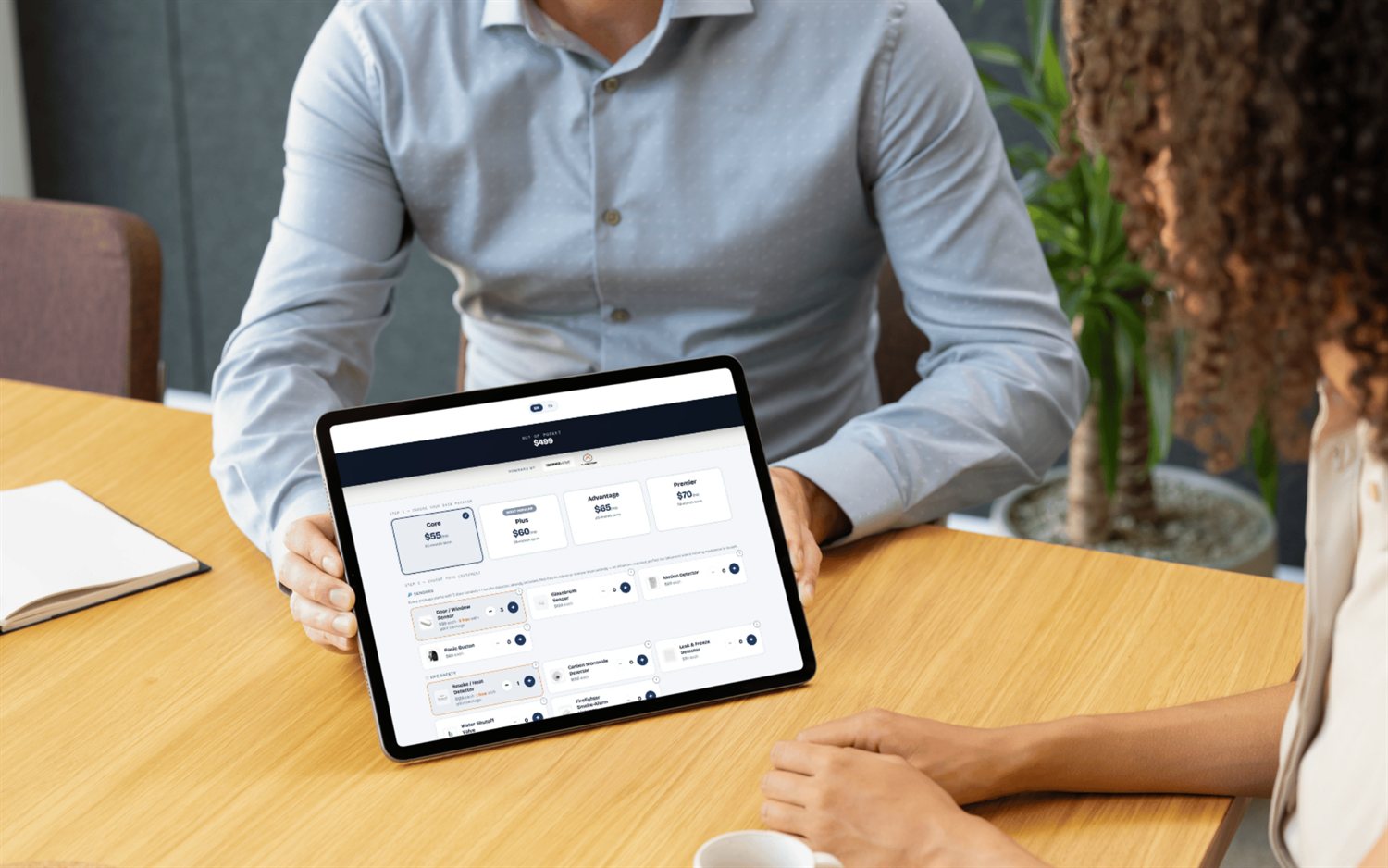
Pick a package, add equipment and send the homeowner their quote — right from the doorstep.
Fresh doors, a knock map, a quote you can send from the porch, and commission you can actually trust — all in one app made for home-security reps, not a generic field CRM.
In one line: FieldStacker is all-in-one door-to-door alarm sales software — it puts new-homeowner leads, a knock map, doorstep quoting with live commission math, accurate commission & chargeback tracking, automatic mileage, and install-tech tools in one app, with transparent pricing from $30–$250/mo, no contract, and a 14-day free trial.
Most tools do one slice. This does the whole knock-to-install flow.
Just-sold homes on your map, filtered by sold date, with owner name & age reveal — the warmest doors in security.
Pin every door, set dispositions, plan the shortest route, and never re-knock the same house.
Build the system, price it, and send a clean quote by QR code or email — commission worked out.
Track what you actually get paid — including chargebacks and clawbacks most apps ignore — plus mileage and 1099 taxes.
Sell and install? Inventory, invoicing, and job assignment, with the sold quote flowing to the install.
Roster, GPS-verified knocks, territories, and a live team map for managers running a crew.
Generic field-sales and route apps track that you knocked a door. They don't know what an alarm rep actually gets paid, or that a cancelled account claws it back. FieldStacker is built around the security workflow — the quote is an alarm system with a monitoring plan, the commission math reflects it, and chargebacks are tracked instead of quietly vanishing from your numbers.
Work fresh just-sold homes on the map and reveal the owner before you knock.
Build the system on the porch, send the quote, and watch your commission update live.
Hand the sold deal to a technician with the equipment list already attached.
It's a field app built for reps who sell home security and alarm systems door to door. Instead of a general CRM, it handles the alarm rep's actual day: finding fresh doors (new-homeowner leads), working a knock map with dispositions and routes, building and sending a quote on the doorstep, tracking commission and chargebacks, and handing a sold deal off to an installer. FieldStacker is built for exactly this workflow.
FieldStacker includes a new-homeowner (just-sold homes) lead source on the map — you don't have to buy a separate leads add-on. On Sales Rep and up you can also reveal the homeowner's name and estimated age. You can still import your own lists too, but you're not starting from an empty map.
When you build a quote, your commission is calculated on the configuration in real time, so you always know what a deal pays. Sold deals are tracked, and — unlike most canvassing apps — FieldStacker tracks chargebacks and clawbacks accurately too, so a cancellation that claws back your pay doesn't quietly disappear from your numbers.
Every account starts with a 14-day free trial and no credit card. Plans are month-to-month with no annual contract, no seat minimum, and a $0 setup fee. The Sales Rep plan is $30/mo and includes both the just-sold new-homeowner leads and the homeowner name and estimated-age reveal.
Yes. If you sell and install, the Sales Rep plan lets you flip on Tech mode in Settings to add technician tools — inventory, invoicing, and job assignment — and a sold quote flows straight through to the install as its bill of materials. A Sales Manager or Team Management Pro plan adds roster, GPS-verified knocks, territories, and a live team map.
Keep reading: the best alarm sales software, how to become an alarm sales rep and how to sell alarms door to door.
Short, real walk-throughs — no sign-up needed to watch.
Pick a package, add equipment and send the homeowner their quote — right from the doorstep.
On the pricing page, add or remove equipment and packages and set your out-of-pocket costs and fees so every quote and commission is right.
Open the commission checker to see exactly what a sale pays you, before and after it closes.
Book the install from the quote. See which techs are close by and which carry the right equipment, then give the job to the best one.
Transparent pricing, no contract, 14-day free trial with no credit card. See your price and knock your first door on FieldStacker today.